Guest Photo Sharing Without an App
If you want your guests' photos but don't want to ask anyone to download an app, make an account, or join a WhatsApp group, a QR code that opens a web album does the job. Guests scan, type their name and choose photos; you get everything in one place and save it to your phone or a ZIP.
Compared with the usual ways
- A WhatsApp group
- Photos get compressed, mixed in with messages, and you have to save them one by one. And someone always leaves the group.
- A shared Google Photos or iCloud album
- Works well for people who already use that service; others need an account or get stuck at a sign-in screen.
- An app for the event
- Every guest has to find it, install it and usually sign up before they can share a single photo.
- A QR code to a web album
- Nothing to install or sign up for. The trade-off: guests upload from their browser, so they need to keep the page open until their photos finish.
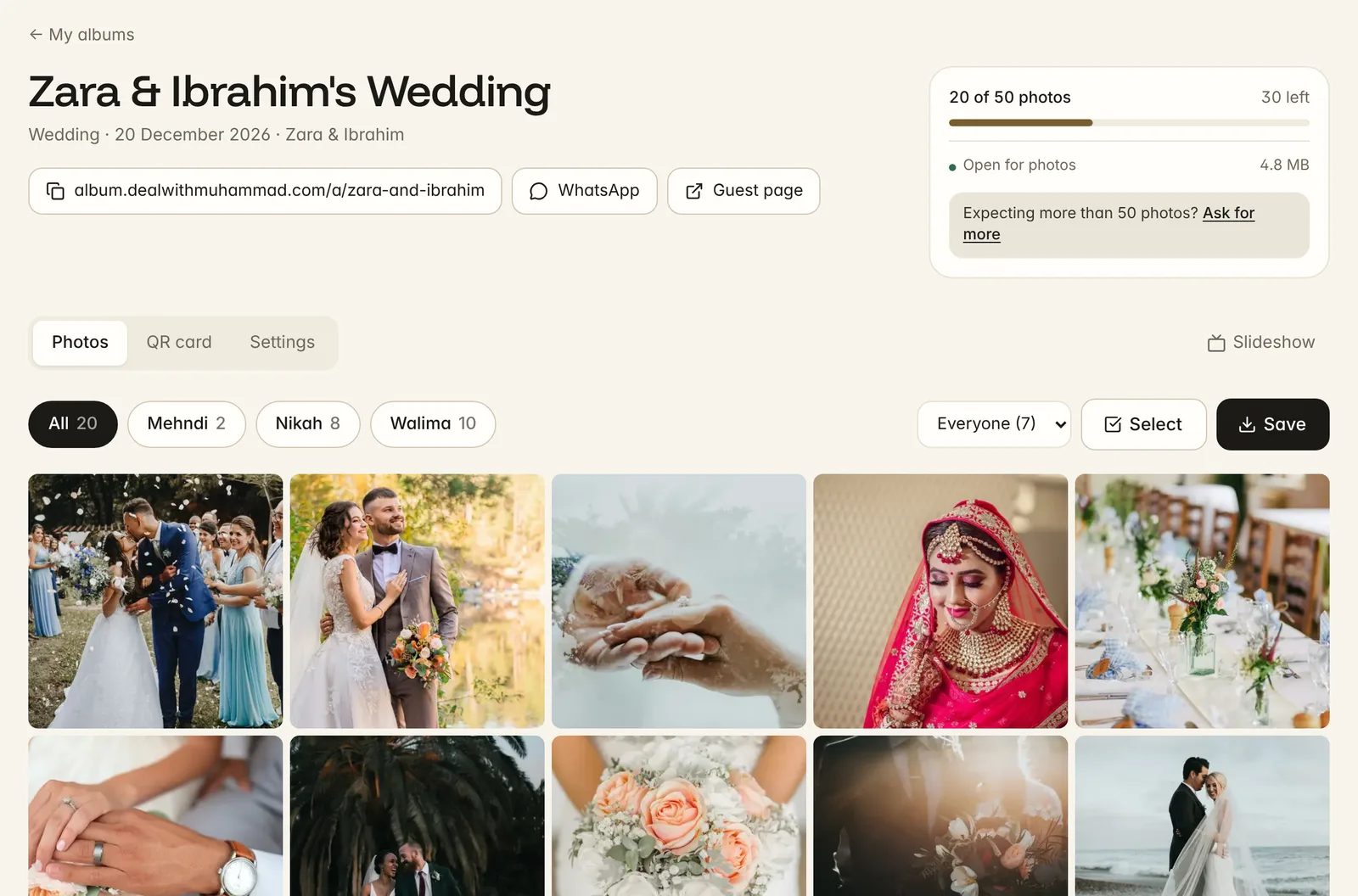
What you get with DWM Album
A private album with optional folders, print-ready QR cards, a dashboard with every photo and who took it, approval before guests see photos if you want it, a live slideshow for the venue, and saving everything to your phone or a ZIP. Free for 50 photos per album and up to 3 albums per account; unlimited albums by message.
Questions
Do guests need an account?
No. They type their name once (their phone remembers it) and pick photos. Only you, the host, sign in, with a code sent to your email.
Can guests upload videos?
Not yet. DWM Album takes photos only for now.
Are the photos full quality?
Photos are resized to 2400 pixels on the long side and saved as high-quality JPEGs. That's sharp on any screen and fine for prints up to about 8×10 inches, while keeping uploads quick.